Check the board before you buy new dispatch software
A sales pitch is not a diagnosis. If a vendor's answer to your messy Tuesday is new dispatch software, take a second look. Software only helps if the board itself was the problem.
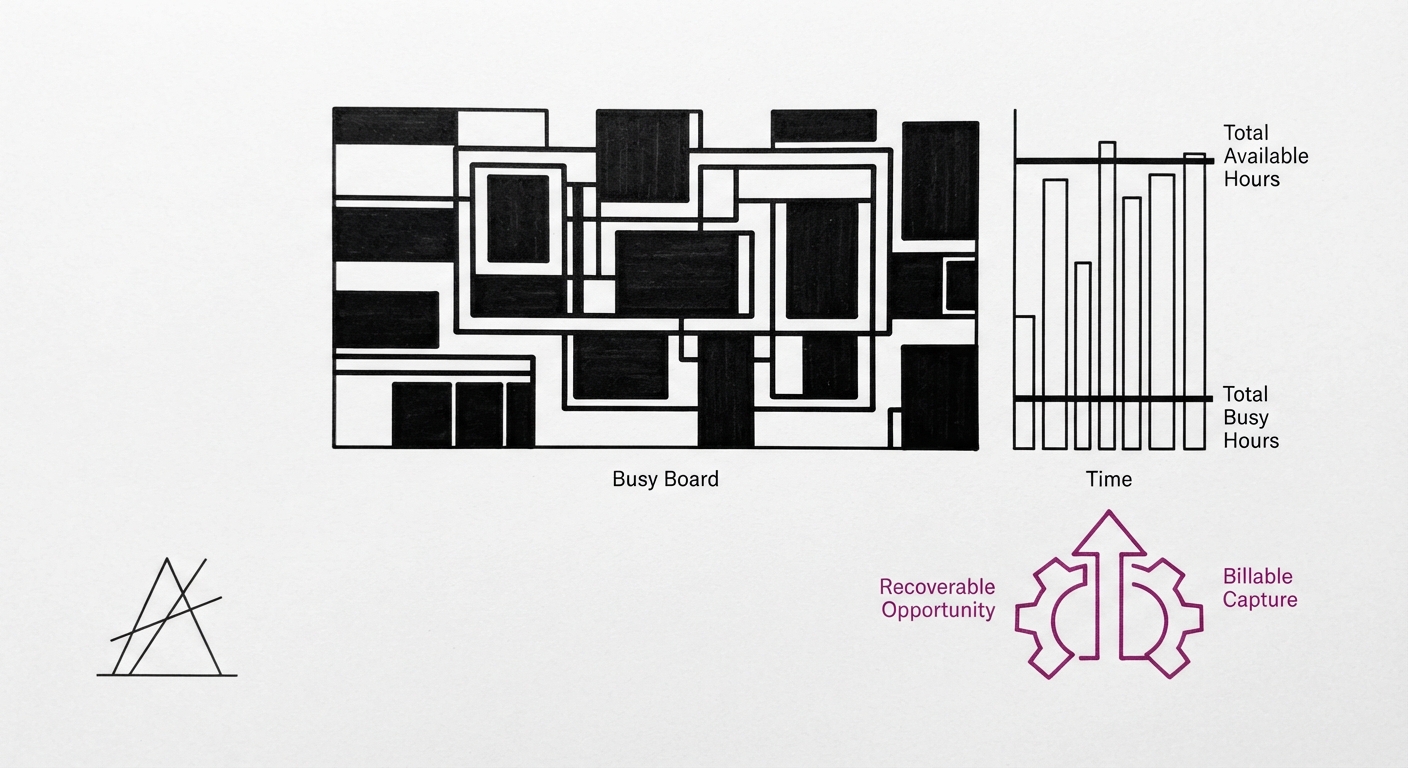
Start with what the board is. A dispatch board shows which technician is on which call, what is waiting, and what is running late. Its one job is to make the next assignment obvious. If a dispatcher has to think hard about who goes where, the board is not doing that job.
New dispatch software moves the same assignments around faster. If the cause is an unwritten emergency rule, missing job details, or one person holding the whole day in his head, the software inherits the same problem. This is our own audit reasoning, not a measured figure, and you can test it against your own shop.
In a small plumbing shop the owner often is the dispatcher. That is when the board matters most. Everything sits in one person's memory, and the plumber who calls in at 2 p.m. gets an answer based on whatever that person recalls.
A live board is different from a morning schedule. A schedule is a plan made at 7 a.m. A live board changes as calls come in, jobs run over and techs finish early. Service work is full of interruptions, so the way you track dispatch through the day matters more than how neat the plan looked at breakfast.
How dispatch works in your shop is a question about people and rules before it is a question about tools. The rest of this article treats it that way, for plumbing companies of any size.
New dispatch software moves the same assignments around faster.
Build the board around the call, not the calendar
Every service call needs the same few facts on the board before anyone assigns a tech. Our own method puts the minimum at the address, the problem as the customer described it, the urgency, any access notes, and the customer's history with your shop.
The service history is the one most often missing. A tech who knows this is the third visit for the same leak arrives differently than one who thinks it is a fresh job. Put that line in the job details, not in the dispatcher's head.
One person assigns, and one place holds the truth. Whether a service request arrives as an inbound call, a text or an online booking, it lands on the same board. If a call lives on a sticky note or in someone's phone, your dispatch process has a hole in it.
Match the tech to the call by skill and truck stock, not only by distance. A drain call and a water heater swap need different trucks, and sending the closest tech with the wrong stock costs a second trip. That is a trade-off you decide on, not a rule with a number behind it.
Close the loop. A job is not done on the board until the invoice is raised or the next visit is booked. Otherwise finished work sits uninvoiced, and a promised return visit slips because nothing on the board reminds anyone.
The same applies whatever the size of the plumbing team. A contractor with two trucks and a service company with twenty both need this dispatch workflow. A shop that skips it tends to find out when scheduling quietly falls apart on a busy day.
A job is not done on the board until the invoice is raised or the next visit is booked.
Handle emergency calls without wrecking the day's schedule
Define what counts as an emergency before the phone rings. Active flooding or no water at all are examples. Pick your own definition, write it down, and put it where the dispatcher can see it. There is no standard we can cite for you, and none is needed.
Then make the dispatch decision in advance. Does an emergency call pull the nearest tech off a scheduled job, or does it go to a reserved on-call tech? Both work, and both cost something. Pulling a tech protects the emergency customer and bumps someone booked. A reserved tech protects the day but leaves one truck idle when nothing breaks.
Decide what the displaced customer is told, too. A call that says you are running about ninety minutes behind because of an emergency is easier to take than silence. Settle the wording once so it does not depend on who answers the phone.
Different work also needs a different place on the board. Recurring service and service agreement visits, multi-day scheduling for larger jobs, and a single service call each behave differently. A long job parked on one tech can hide the fact that another is free, so give projects their own lane apart from same-day emergency calls.
In high-volume service periods, most dispatch problems come from unwritten rules, not from the volume itself. This is our own framing, with no figure behind it. Naming the rule is the fix, and it costs an hour at the kitchen table.
In high-volume service periods, most dispatch problems come from unwritten rules, not from the volume itself.
From spreadsheet to software: when the board outgrows paper
The pitch for new dispatch software is a general promise: it will make your scheduling smoother. That is not the same as a read of how your own board runs. We make the full case on our own page, a sales pitch is not a diagnosis, and the point carries straight into this decision.
A spreadsheet or whiteboard can work for a small crew. It strains in two places: when two people dispatch from different copies, and when nobody can see where the trucks are. If neither is true for you, paper may not be your bottleneck.
Dispatch software typically offers drag-and-drop scheduling, a mobile app for techs, online booking and GPS location. Drag-and-drop dispatch lets you move a job between technicians on screen. Live GPS dispatch shows who is nearest. The mobile app puts job details in the tech's hand, and online booking feeds new calls straight to the board. Read each vendor's own feature page for how it actually does these, because the labels hide real differences.
Software moves the work around. It does not fix an unwritten emergency rule or missing job details. Whether you are looking at scheduling software, a full dispatch platform or a single dispatch tool, evaluate dispatch against the problems from the earlier sections. If your trouble is rules, a tool that holds scheduling and dispatch in one system will still carry them over.
If your trouble is that the board genuinely cannot show you what you need, then software is a fair answer. The test is whether you can name the specific failure first.
Software moves the work around.
Check whether the board is working
Test your dispatching against numbers from your own shop, not a benchmark. We are not claiming a standard figure here. Pull a week of jobs and ask four questions: how long it took from call to assignment, how many techs sat idle between jobs, how many calls were rescheduled, and how many came back as callbacks.
This is our own audit methodology, and you check it against your own records. A week is enough to see a pattern. If long gaps from call to assignment cluster on the same days, that points to a rule or a person, not to the tool.
Tie dispatch to technician billable hours, callbacks, and field efficiency, since a poor assignment shows up there first. A tech sent to the wrong job with the wrong parts burns hours that never bill, and the return trip lands in the callback count. Our technician productivity article walks through how to read those numbers.
Then review the board weekly with the dispatcher and change one rule at a time. Changing three things at once means you cannot tell which one helped. These are the best practices we would hold to, and each is cheap to try.
Then review the board weekly with the dispatcher and change one rule at a time.
What does a dispatcher do for a plumbing company?
A dispatcher takes or reviews incoming calls, judges urgency, assigns the right tech, tells the customer when to expect them, and re-sequences the day as jobs run long.
In a small shop, that dispatcher is the owner or an office manager alongside other duties, which is why the written rules matter.
What software do dispatchers use?
Field service management products with dispatch tools include ServiceTitan, Housecall Pro, Jobber and Service Fusion, and some shops pair a board with QuickBooks for accounting and invoicing software.
They differ in how deep the dispatch tools go and in what they cost. Read each vendor's own product and pricing pages, and compare against your own crew size and call volume. We state no prices here because they change. For a shop with a few trucks, a lighter field service software tool may be the better choice than a larger field service management platform, so check what you would actually use before paying for it.
Key Takeaways
A dispatch board exists to make the next assignment obvious, and it works only if every call carries the same facts.
Write the emergency rule before the emergency, and decide who gets pulled off a scheduled job.
Software moves the board around but will not fix unwritten rules. Compare tools against your own call volume and crew size.
Test the board weekly using idle time, reschedules and callbacks drawn from your own jobs.
Where to go from here
The next check is yours to run. Take one week of your own jobs and test the board against it: time to assignment, idle techs, reschedules, callbacks.
Our technician productivity article covers the numbers to look at after that, and how a weak assignment turns up in them.
You already know something is wrong.
Ninety seconds will tell you how big it usually is.